Showing posts with label datarecovery. Show all posts

Thursday, February 17, 2022

Data Recovery and Backup: A Guide for Businesses


Businesses and organizations quickly realize three things during daily operations:

  1. Any computer or its operating systems can crash
  2. Anybody can make mistakes
  3. Disasters can happen when you least expect them or are least prepared.

Data backup and data recovery are crucial components of running a successful company.

Businesses should plan ahead and have systems in place for data backup for worst-case scenarios.

Data backup systems that work are successful separate drives or an offsite server to store large amounts of data. Data recovery is difficult without these systems, which can lead to data loss when the worst happens.

What is Data Recovery and Backup?

Data backup and recovery refers to the process that involves backing up crucial data in the case of loss as well as setting up secure systems to permit data recovery.

Data backup involves the copying and storage of computer data in order to make them accessible in the event of data corruption or deletion. Data can only be recovered from an earlier date if it is backed up by a reliable backup device.

Data backup is an important part of any disaster recovery plan.

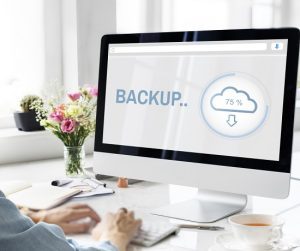
cloud-backup-300x252.jpgBackups of data may not always be able to restore all settings and data in your business operations. Computer clusters, active directory servers, and database servers might require additional disaster recovery options, as a backup and recovery might not fully reconstitute them.

Cloud storage makes it possible to back up large amounts of data. Therefore, it is no longer necessary to archive your data on a local hard drive or external storage. You can also set up your mobile devices with cloud technology to enable data recovery.

Offsite Servers vs. Independent Drives

Because they offer massive data storage at very low prices, offsite servers are a good option for data recovery Wilmington NC. This is especially true when you consider the inconvenience it saves and the time it saves in case there is an information catastrophe.

  • It is essential to have a secure and safe place to store your information away from your main business server.
  • Most data recovery is painless. In the rare event that offsite servers do crash, the servers (offsite servers), have already backed up data to their drives.
  • An offsite server is a great way to keep your data safe.
  • Independent drives are another effective way to backup your business data. Terabyte drives can be purchased at a discount store or in high volume stores for a very affordable price.
  • These drives can be easily connected and used for data storage and recovery. There are many storage volumes on the market.
  • Depending on what data you need to run your business, you might choose to backup your data daily, weekly or monthly. However, most businesses choose either one of these options.
  • A daily backup of financial data is almost a guarantee. Protecting your business data can be done with external drives.
  • Both offsite and external storage are possible options. It all depends on what type of business you run.
  • Data backup and recovery work in the same way. The real question is whether you require a short-term or long-term solution, and whether the latter will be more expensive than the long-term one.
  • External storage offers more storage, but it comes at a higher cost (payments), while external storage is usually a one-time fee (purchase cost), unless the drive fails.

Cloud Backup and Recovery

Cloud backup or online backup refers to a strategy for backing up data that sends a copy of your primary data to an off-site server via a public or proprietary network. This is a better option than using an external drive.

  • The server is usually hosted by a third party service provider (CSP), which charges you a fee depending on the bandwidth, capacity or number of users.
  • Cloud data backup can help your company’s data protection strategy, without adding additional workload to your IT staff or the support team for your managed IT services Wilmington.
  • Cloud backup copies data, then stores it on separate media or in a separate storage system. This allows for easy access in the event of a recovery situation. There are several options:
  • Backup your data directly to a public cloud. This involves writing your data to a cloud infrastructure provider.
  • Backup your data to a service provider. You write your data to a CSP that offers backup services in its managed storage.
  • Cloud-to-cloud backup is available for data that lives on the cloud using SaaS (software-as-a-service) applications. This method copies your data into another cloud.
  • Cloud backup services can take several days to upload the first backup due to the large amount of data.

Cloud seeding, also known as cloud backup, allows cloud backup vendors to send you a storage device such as a tape or disk drive to back up your data locally. The device is then sent back to the CSP. After the initial seeding has been completed, the provider will only back up your data over the internet.

Online backup systems often revolve around client software applications, which run according to the service level purchased. For example, if you contract a CSP to backup your data daily, the application will compress, encrypt and transfer your data every 24 hours to the CSP’s servers.

The CSP may limit the number of incremental backups you can receive after you have completed a full backup in order to reduce the time it takes to transfer files and the bandwidth consumed.

Cloud services usually include all the hardware and software that you need to protect your data. Cloud subscriptions can be purchased on either a monthly or yearly basis. Cloud backup services are also popularly used by small and medium-sized enterprises, as well as large corporations.

data-backup-wilmington-300x200.jpgDifferent types of data backup

Although data backup is a simple concept, it can be challenging to implement an efficient and effective strategy. Backup software programs are designed to simplify the process of performing backup and recovery operations.

Backup is not the end goal. Backup is just a tool to help you achieve your goal of protecting your business and data from being lost. These are the most popular backup types:

Full Backup

This backup operation creates a complete copy of your data to another media such as a tape, disk, or CD. This media set contains a complete copy of all your data. This takes more time and uses a lot of storage space so it is often used in conjunction with a differential backup or an incremental backup.

Backup Incremental

This operation copies only the data that has changed since your previous backup operation. Backup applications will keep track of all backup operations and record the date and time. This backup operation is quicker and requires less storage media that a full backup solution.

Differential Backup

Like the incremental backup, differential backups copy all changes from an episode, but each time they run they copy all data that has changed since the full backup.

Data Backup and Recovery: Importance

Backups are created copies of data so that you can retrieve your primary data in case it fails. Primary data loss can be caused by a variety of factors, including hardware or software failure, human error, data corruption, malicious ransomware attacks and accidental deletion.

Backup copies enable you to quickly recover your business from unplanned events by restoring your data from an earlier time point.

To prevent data corruption or loss, it is important to keep a backup copy of your data on another medium. You can ask your IT support team for assistance. You can use a USB stick, external hard drive or a tape drive to backup your data. Or you could use a disk storage medium, cloud storage container, or a tape drive.

The alternate medium can be stored in the same place as your primary data, or it could be stored remotely. Remote storage is recommended if you live in an area where there are high chances of weather-related events.

To get the best results, backups should be made on a consistent and regular basis in order to reduce data loss between backups. The more time you wait between backup copies, the greater chance of data loss when trying to recover from a failure.

Don’t wait for months to create backup copies. You also have the option to keep multiple copies of your data to give you insurance and flexibility to restore your system to a point that wasn’t affected by malicious attacks, hardware failure or data corruption.

Call SpartanTec, Inc. now if you have decided to take your business to the next level by making sure its protected and prepared to face different types of online or offline disasters.

SpartanTec, Inc.
Wilmington, NC 28412
(910) 218-9255
http://manageditserviceswilmington.com

Serving: Myrtle BeachNorth Myrtle BeachColumbiaWilmingtonFayettevilleFlorence, Charleston

Monday, December 20, 2021

Data Recovery Services and Business Continuity


Planning for disaster data recovery is an important part of business continuity in today’s digital world. It is crucial to be able to manage both enterprise software and office productivity. It is important to develop recovery strategies for information technology, so that technology can be restored in a timely manner to meet business needs.

Complex steps may be required to ensure business continuity planning and disaster recovery. These complex steps require a deep understanding of the operations of different applications and data sets. There are many interdependencies between servers and databases that must be restored in the right order. Businesses should plan how they will recover critical data and put systems back online in the correct order. If the process is done correctly, even if administrators of the applications are not available, the organization can be sure that it has developed an efficient and intelligent approach to recovery.

Disaster recovery services used to require significant investments in infrastructure. Organisations had to balance the risks of not being prepared for disaster with the costs and recovery options they could afford. Many business executives view traditional disaster recovery as an expensive investment that can only be afforded by large budgets.

Many executives believe that natural disasters are rare. The Center for Research on the Epidemiology of Disasters published a study showing that natural disasters have increased 233% in the past decade. A wide range of events, such as data corruption, human error, facility or datacenter loss, can pose a risk to business continuity, even though the rate of natural disasters is increasing.

Many corporations don’t consider disasters until they happen, even if they have a disaster recovery plan. Forrester’s 2011 survey found that only 1% of companies surveyed had tested their backups daily. According to the report, only 12, 19, and 27% of companies reviewed their recovery systems on a weekly basis, monthly, or quarterly basis, respectively. Nearly one fifth of organizations admitted that they don’t test their disaster plans. Survey respondents who said data loss was a concern stated that more than one third of them didn’t know what the impact of one hour of downtime on their business would have. The cost of downtime is estimated at several thousand dollars per hour by more than 30 percent. A data recovery service provider is the best way to ensure that your business is back up quickly after a data loss.

IT managers often rely on storage device or computer manufacturers to retrieve data from their devices. Manufacturers’ tech support focuses on hardware speed and assumes that a company has a backup of important data. Although the vendor may be familiar with their hardware, they don’t know much about data corruption or data recovery techniques. Complex RAID array recovery processes, such as those for complex RAID arrays, may require additional expertise beyond the storage array.

Backup infrastructure and planning are not fail-proof, and can be affected in the same way as current storage systems. Many backups are not performed “on-the-fly”, which means that some of the most important data might not have been backed up in time for the loss. This information could be crucial for the business, as well as compliance and regulatory.

As more companies move to virtual backup systems, it’s more important than ever to regularly check the integrity business data. Virtualization contracts often do not cover data loss, corruption, or deletion. IT support managers must be proactive in preparing for disasters by including data recovery services.

Data loss can be costly and cause irreparable damage to any company. Although there are many ways to recover and analyze data, it is best to plan ahead to minimize the risk.

Call SpartanTec, Inc. now if you need more information about data recovery and business continuity solutions.

SpartanTec, Inc.
Wilmington, NC 28412
(910) 218-9255
http://manageditserviceswilmington.com

Serving: Myrtle BeachNorth Myrtle BeachColumbiaWilmingtonFayettevilleFlorence, Charleston

Friday, October 29, 2021

What are the Do’s and Don’ts in Data Loss?


In a very short time, data corruption and hardware failure may lead to poor decision-making, panic, and chaos. There is a right and wrong way for data recovery from any system. There are many ways to recover data from different platforms. These are some guidelines to help you know what to do and not do when recovering data.

Data Recovery and Stand Alone Drive Failure

  • Do not open the hardware or expose the media. It doesn’t matter if you are a DIYer, common user, or an expert in the field. Only an expert in the field, or a hard drive disaster recovery engineer, can open a drive.
  • Do not attempt to swap the circuit boards on a modern hard disk. System/firmware area conflicts could cause major problems.
  • You shouldn’t put your drive in the freezer, then spin it. Moisture could have condensed on the media surfaces of the drive, which can cause head contact and other damage.
  • Listen to your friends and don’t search the internet for home remedies. Professional help is always recommended.
  • Do not install recovery software on the drive or partition where the files were lost. They will be overwritten after you install it.
  • Do not run the recovered DVD/CD using your computer. Most OEM support technicians won’t care about your data. They want to get the hardware up and running again.
  • To check file system readiness and integrity, don’t attempt to slave the drive to a functioning unit. If the operating system is corrupted or the main host computer has a problem, you might be able copy the data with no problems.
  • To see if the demo can be undeleted from the internet, do so. If it cannot, you may need to buy the tool.
  • If you aren’t sure of what you’re doing, you can call IT services.
  • Regularly back up any company or personal data.

Data Recovery and RAID Collapse

  • If the OEM staff recommends you don’t, it is important to verify that the unit was as they originally configured it and that nothing has changed.
  • If you don’t know the failures of drives and why they happened, you shouldn’t attempt to rebuild them. RAID recalculation – Adding old data from the drive that went offline the first time will result in the corruption of all data.
  • If you aren’t an expert in configurations and controller routines, don’t attempt to do anything. Get IT support from professionals.
  • If you need to retrieve data from the array, please contact ACE Data Recovery Services.
  • Data Recovery and SQL Corruption Do not create a backup copy of the database on the same drive.
  • If the database corruption is caused by RAID collapse, drive failure, disk utility error, or bad sectors, don’t use the array/disk.
  • Before you do anything, make sure to save a copy of your log files and database on a different drive.

Data Recovery and Exchange Corruption

  • Do not attempt to repair or attack a damaged data base without creating a backup copy. This applies to all repair utilities provided by Microsoft and 3rd-party developers.
  • If mail servers were not properly brought offline, don’t try to defragment the data store.
  • You should not open a support ticket with Microsoft, or send your problem database to a recovery company without making a backup copy.
  • Regularly back up your data.

SpartanTec, Inc. can provide more information about our data recovery and backup solutions.

SpartanTec, Inc.
Wilmington, NC 28412
(910) 218-9255
http://manageditserviceswilmington.com

Serving: Myrtle BeachNorth Myrtle BeachColumbiaWilmingtonFayettevilleFlorence

Tuesday, June 8, 2021

Boost Data Recovery and Backup Plans For Hurricane Season


The hurricane season is here and you need to prepare your business by boosting your data recovery and backup plans. The hurricane season in the Atlantic begins on June 1 and lasts until November 30. The weather this year is expected to be similar to last year and that means businesses need to prepare for possible damage caused by flooding, heavy rains, and high winds. You have to make improvements to your data recovery and cloud backup procedures.

If you don’t, it may spell disaster for your business. Natural disasters can lead to software and hardware failures. The Federal Emergency Management Agency said that almost 40% of SMBs don’t resume their operations after facing a disaster.

Refine Your Data Recovery Plan

The main objective of data recovery services is to maintain customer communications, infrastructure, and staff safety during a natural disaster like a hurricane. You can achieve this essential goal by making sure that you prevent possible downtime and shorten the recovery time. By reducing the possibility of losing data and strengthening the integrity of your information, as well as fortifying data security and infrastructure are among the most important cybersecurity practices.


Call Now


Tips To Create A Bullet Proof Data Recovery Plan

Identify your assets – it’s impossible to back up all of your business and customer data without first having a detailed inventory of your IT resources including mobile devices, servers, computers, as well as software applications. Since not all of your assets are created equally, it will be helpful to categorize them based on their priority. This should show how important the assets are for your company to operate and grow successfully.

Check your insurance – data recovery insurance will gidatve you the funds your company needs to resume its operations. However, it’s important to check that your insurance coverage will do everything that you expect it to do.

Create a data recovery and backup plan – these days, you can select from various data recovery and backup options for your company. These include local network backups, USB drives, tapes, as well as different cloud backup providers. When creating a data backup plan, you have to consider the backup cost, security, and frequency. Several cloud data backup companies provide continuous data protection, saving copies of all the changes made to your information automatically. This kind of backup is perfect for protecting data that’s critical to your business.

Test your data recovery plan and backup – even if you have a well-thought-out data recovery and a backup plan, it won’t do you any good if you didn’t test it. You’ll only end up with more problems if you discover that it has a flaw at the time you need it most. You have to test your plan to ensure successful data recovery.

Keep your customers in mind – when a disaster happens, your company will concentrate on fixing infrastructure and resuming your business operations. But, you should remember your clients. You should treat them like your business partners who need to know what’s happening with the recovery of your company.

Natural disasters and the hurricane season are inevitable but there are things you can do to prepare for them and make sure that your company can resume operations as fast as possible while successfully retrieving lost data.

Call SpartanTec, Inc. now and let our team of IT experts come up with an effective data recovery plan and backup solutions for your business.

SpartanTec, Inc.
Wilmington, NC 28412
(910) 218-9255
http://manageditserviceswilmington.com

Serving: Myrtle BeachNorth Myrtle BeachColumbiaWilmingtonFayettevilleFlorence

Monday, May 31, 2021

Data Recovery: Hurricane Preparedness Plan For Your Business


Hurricanes can cost a lot of destruction and that’s why developing a data recovery plan ahead of time so you will have a sense of peace of mind. This guide will provide you with suggestions to assist your organization in preparing for the effect of a hurricane on the operations of your business, employees, and technology.

Have A Data Recovery Plan

  • Know the existing condition of your current backup plan. Does your company have one and was it tested?
  • How vulnerable is the technology infrastructure of your business to fires, floods, tornadoes, and other natural disasters?
  • Determine which data or systems should be recovered in minutes, hours, or even days to get your company up and running once again.
  • Do you need off-site backup as well as storage for important data?
  • In case your backup site is just within the area that could be affected by a storm, you should think of backing up your data to the cloud or a more remote site.
  • Check your back up plan with vendors. Make sure you get a clear understanding as well as commitment to the plan.
  • Come up with a technology plan that includes service vendors, facilities, software, and hardware.
  • Conduct a risk assessments around certain threats and add a data security management like an intrusion detection system, anti-virus software, hacking prevention, component failure accidents, as well as system crashes.
  • Check previous recovery events to know how fast and correctly your technology and business operations were restored.
  • Check the efficiency of your data recovery and data back up procedures and policies.
  • Do a dry run to identify and fix possible problems before it goes live.
  • Test the remote access to your email systems and servers.
  • Prepare incident response plans for mitigating any security breach.


Call Now


Prepare Your Company and Vendors

  • You must have an emergency communication plan before natural disasters happen.
  • Know your key audience who needs to be contacted with crucial information.
  • Know the alternate employees who could perform tasks in case key staff members can’t be reached.
  • Know the essential resources your remote employees may need in case you need to close your office location.
  • Create a documentation that details how your employees can access free public WiFi hotspots and how to reduce the risks of cyberattacks.
  • Identify possible offsite locations or coworking spaces where your employees can do their essential tasks.
  • Talk to third party partners and data recovery services companies to make sure that you have well document back up plan in place. Make sure that your plan is always current and updated.
  • Check your insurance policies to make sure that there are no gaps in your coverage.

Before, During, and After a Hurricane

Before the hurricane

  • Identify who your remote workers, and staff members are along with their defined roles for response and preparedness planning.
  • You should have the contact information of all your clients, vendors, and employees.
  • Back up all your data on personal computers and servers. This information should be easily accessible.
  • Shutdown all of the printers and computers at close of business.
  • Unplug the ethernet cables from docking stations, printers, faces, back of computers, and make sure that all computer peripherals and monitors are unplugged from the surge protector or the outlet.
  • Place all of the computers as well as other technology on the desks or in dry and high locations, away from doors and windows.
  • Cover the equipment using a plastic sheet if the building is prone to leaks.

During the hurricane

  • Check the equipment that needs to be connected to the power source.
  • Continue to get in touch with all of the key audiences until the storm has gone by.

After the hurricane

  • Wait until the affected area or the location is safe before you enter or go to the site.
  • Note the condition of the computer equipment.
  • Don’t turn on the computer equipment until the electrical power is stable.
  • Central services may not be readily available once the power has been restored.
  • Return the computer equipment to their original places and make sure that all peripherals are reattached.


Call SpartanTec, Inc. now if you need help with disaster recovery planning.


SpartanTec, Inc.
Wilmington, NC 28412
(910) 218-9255
http://manageditserviceswilmington.com

Serving: Myrtle BeachNorth Myrtle BeachColumbiaWilmingtonFayettevilleFlorence